1. Click on Accept
Click Accept at the top of the proposal to start accepting it for the customer. 
2. Type Accept on Behalf of
Enter who you’re accepting on behalf of (e.g., customer contact method like email or phone). 
3. Select Payment Method
Choose a payment method to apply a deposit if one is required (e.g., check received). 
4. Click on Accept
Click Accept to finalize accepting the proposal on the customer’s behalf (skip deposit if none collected). 
ℹ️ If you want to apply a deposit after accepting, continue below.
5. A. Click on Actions
B. Click on Add Deposit
Open Actions and select Add Deposit to record a deposit later if you didn’t collect one initially. 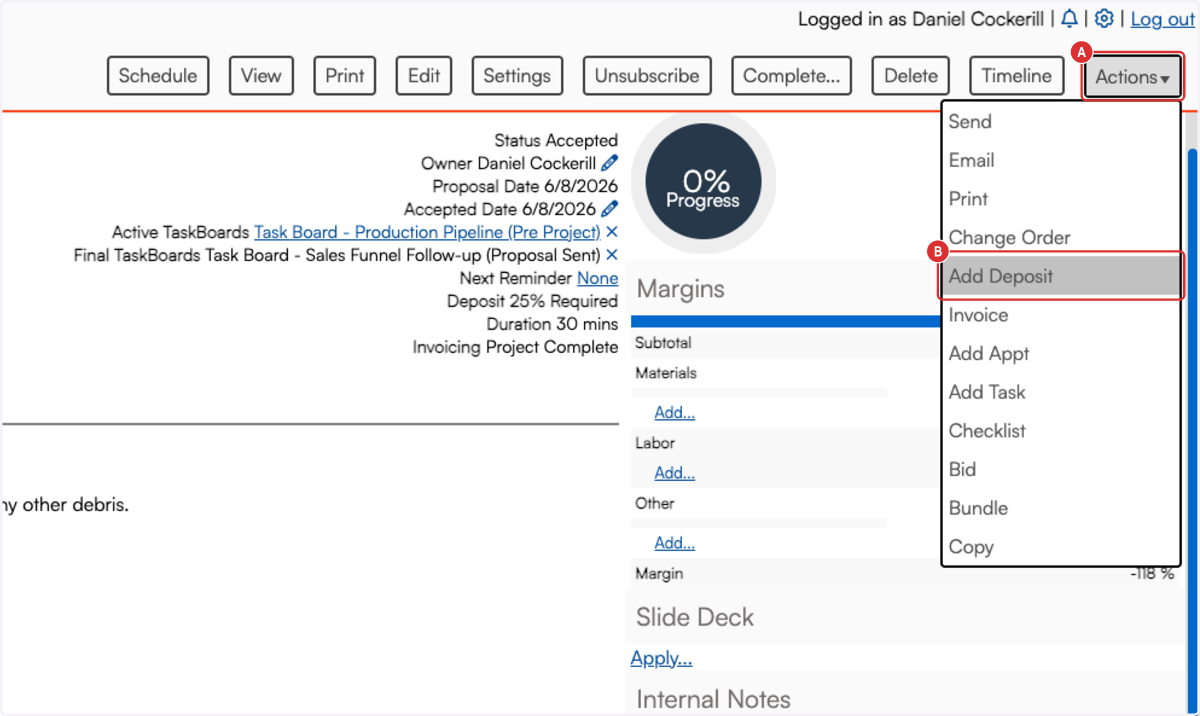
6. A. Select Payment Method
B. Click on Payment Method*…
C. Type Amount
Select the deposit payment method and enter the amount to record another deposit. 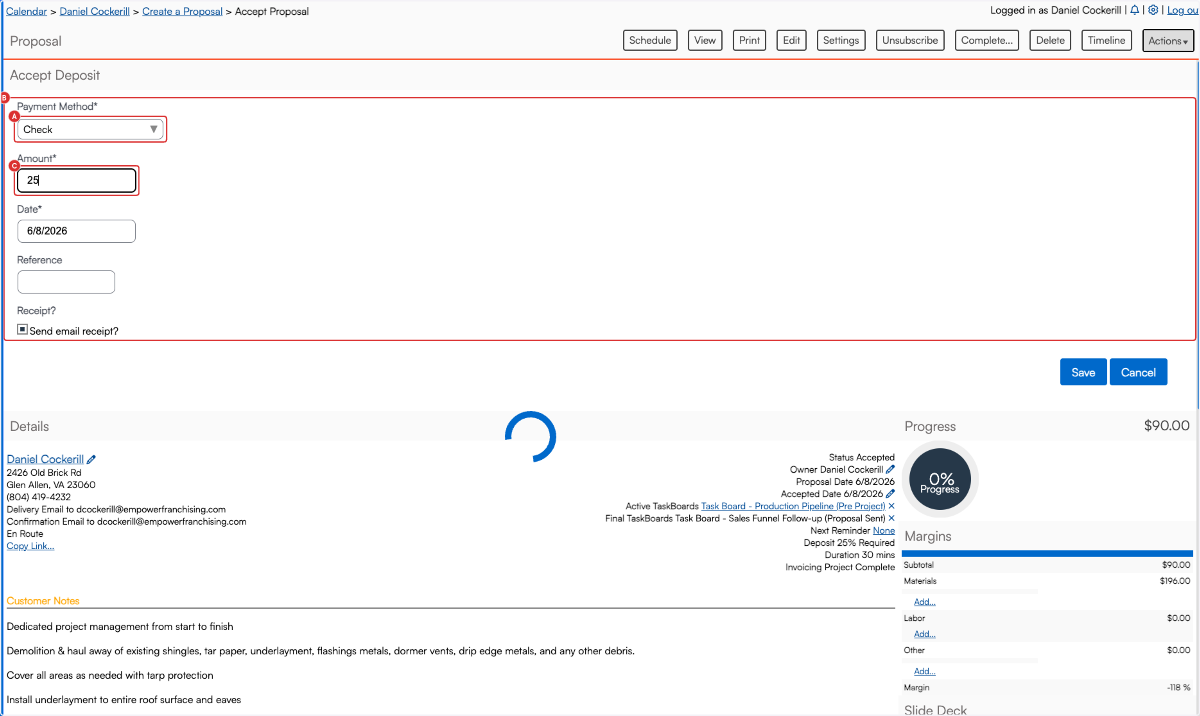
7. Click on Save
Click Save to record the deposit; it will appear in the list below. 
8. You will see the details below.
Review the Total column after saving to confirm the deposit/proposal amounts look correct. 
Comments
0 comments
Please sign in to leave a comment.